drawio-skill
From text to professional diagrams. Generate draw.io files from natural language — or turn an existing codebase into a structure diagram — with self-check, iterative refinement, 10,000+ official shapes, and AI/LLM brand logos.
npx skills add Agents365-ai/drawio-skill -g
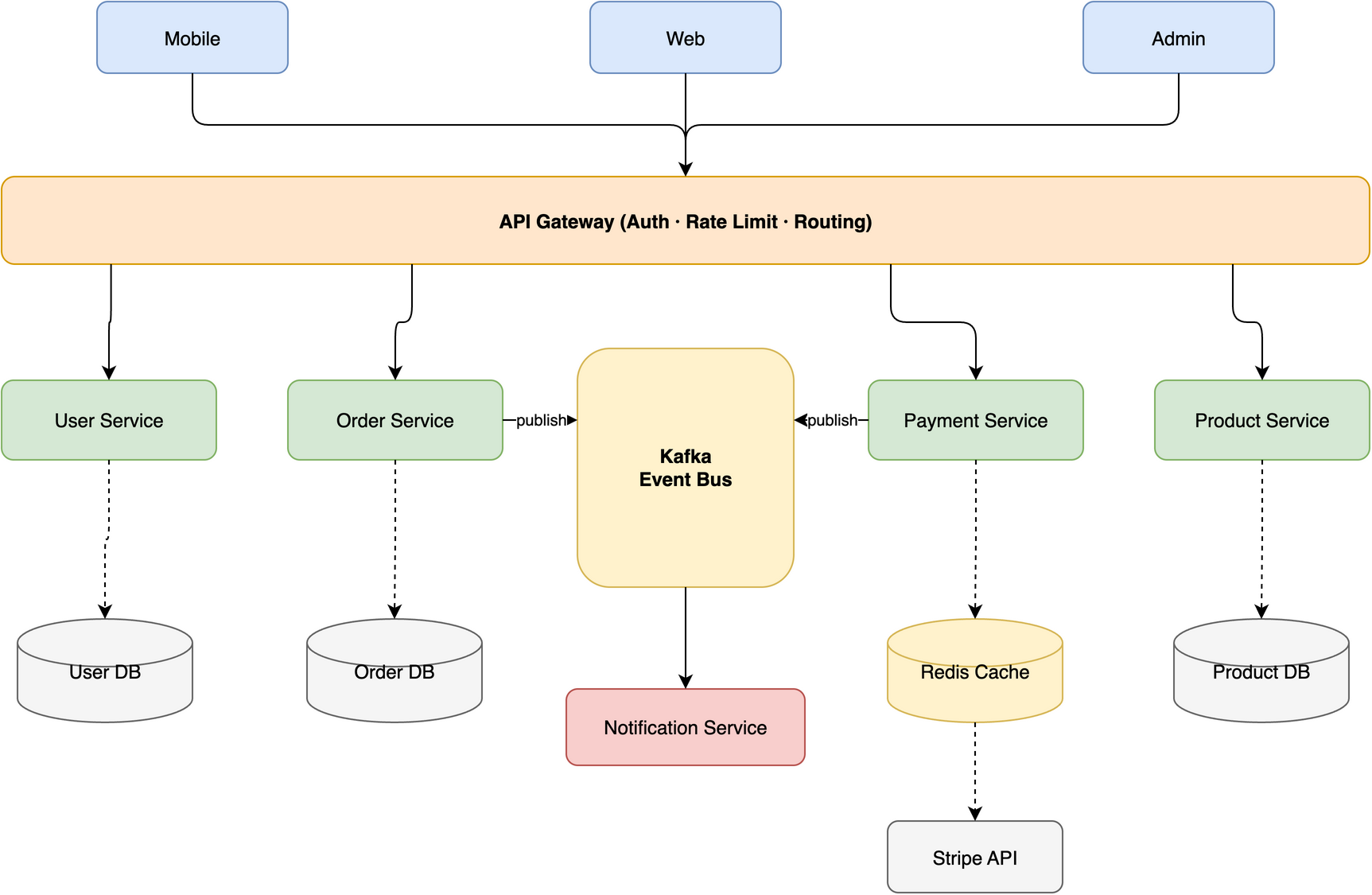
Generated from one natural-language prompt — full prompt in the README.
Why This Skill
The only pure-SKILL.md solution that reads its own output and auto-fixes before showing you.
Visualize a Codebase
Turn a Python / JS-TS / Go / Rust project (import graphs) or a Python class hierarchy into an auto-laid-out diagram — Graphviz placement, transitive reduction, colour-by-module containers.
10,000+ Official Shapes
Search the real draw.io shape library (AWS, Azure, GCP, Cisco, Kubernetes, UML, BPMN, P&ID…) for the exact style instead of guessing — no blank-box typos.
AI / LLM Brand Logos
321 logos (OpenAI, Claude, Gemini, Mistral, Llama, Ollama, LangChain…) that draw.io has none of — for LLM-app architecture diagrams.
11 Diagram Presets
ERD, UML Class, Sequence, C4, Architecture, ML/Deep Learning, Flowchart, SysML, BPMN, Network Topology, Cross-Functional Swimlane — each with preset shapes, styles, and layout conventions.
ML / Deep Learning
Transformer, CNN, LSTM architectures with tensor shape annotations (B, C, H, W). Built for NeurIPS, ICML, ICLR papers.
Self-Check Loop
Reads the exported PNG, detects 6 issue types (overlaps, clipped labels, stacked edges), and auto-fixes before showing you.
Animated Connectors
Add flowAnimation=1 for moving dot animations along
arrows. Ideal for data-flow and pipeline diagrams in SVG.
Style Presets
Teach the skill your visual style from a
.drawio file or image. Save by name and apply to
future diagrams. 3 built-ins included: default,
corporate, handdrawn.
6 Platforms, Zero Config
Claude Code, Opencode, OpenClaw, Hermes, Codex, SkillsMP — just one SKILL.md file + draw.io desktop. No MCP server, no background daemon.
Browser Fallback
No desktop CLI? Generates a diagrams.net URL that opens your diagram in the browser for viewing and editing.
Demo Gallery
Clean edge routing across different topologies — no lines crossing through shapes.
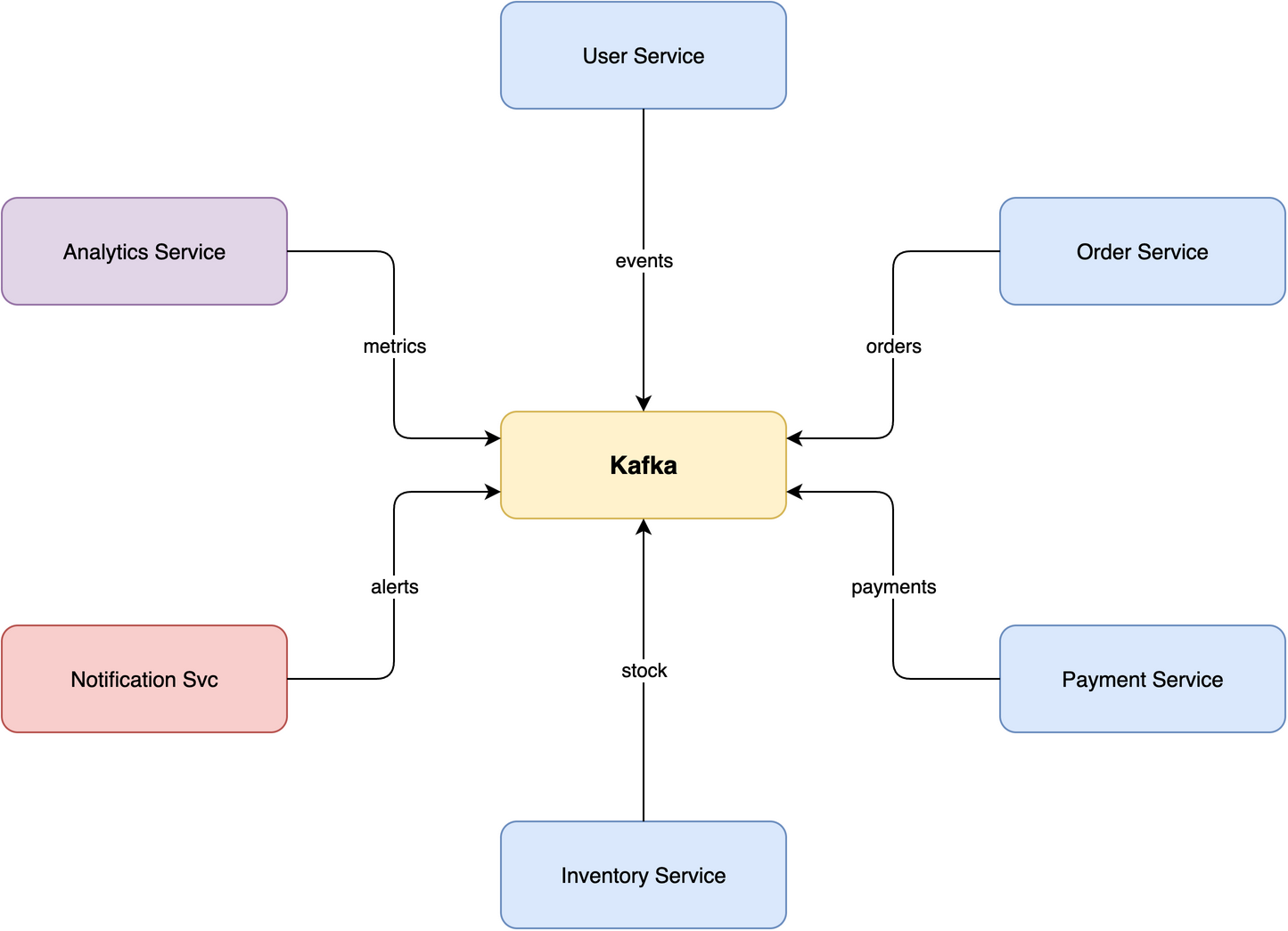
Star Topology
7 nodes — central broker, 6 services radiating outward
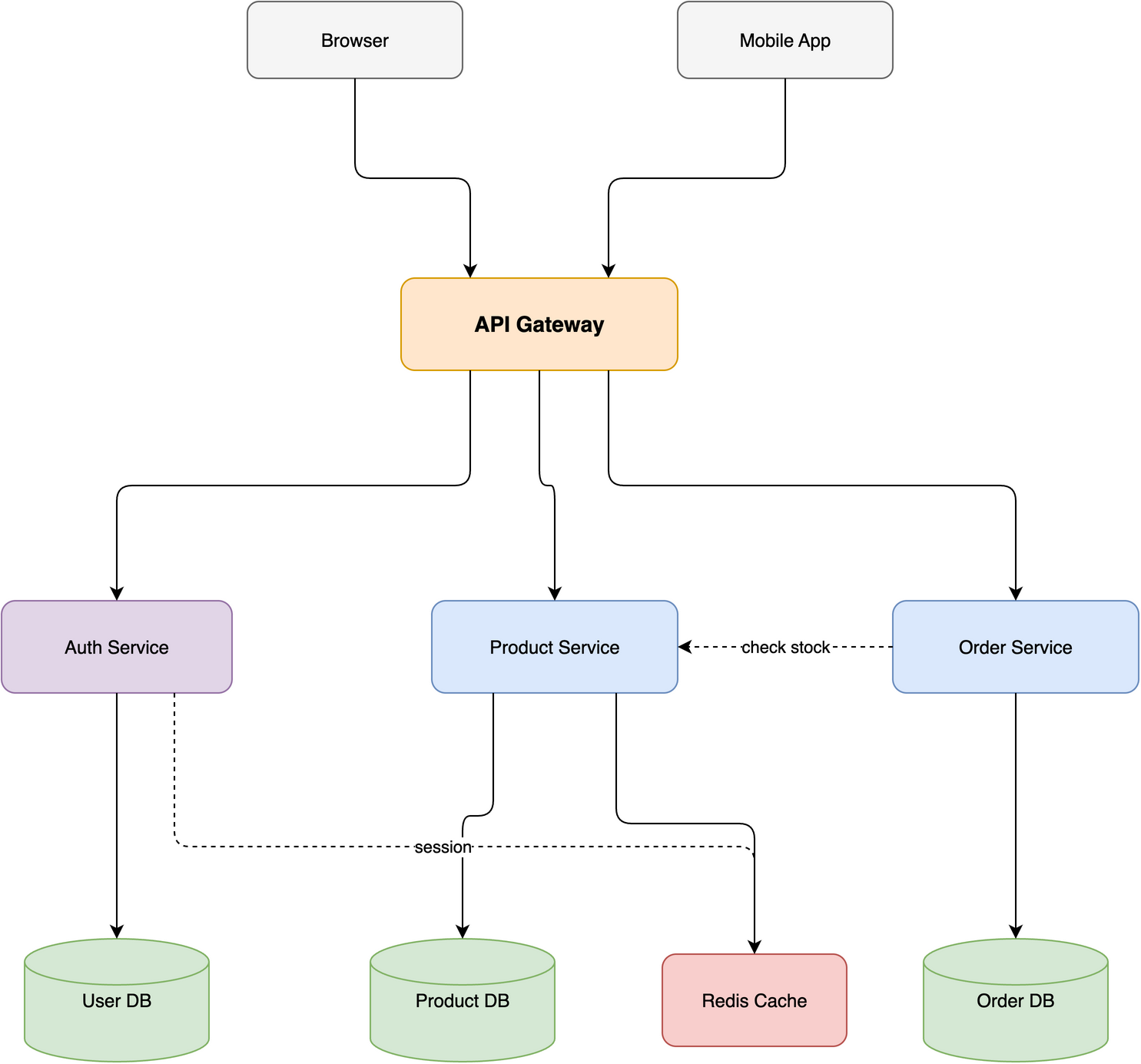
Layered Flow
10 nodes, 4 tiers — with cross-connections routed cleanly
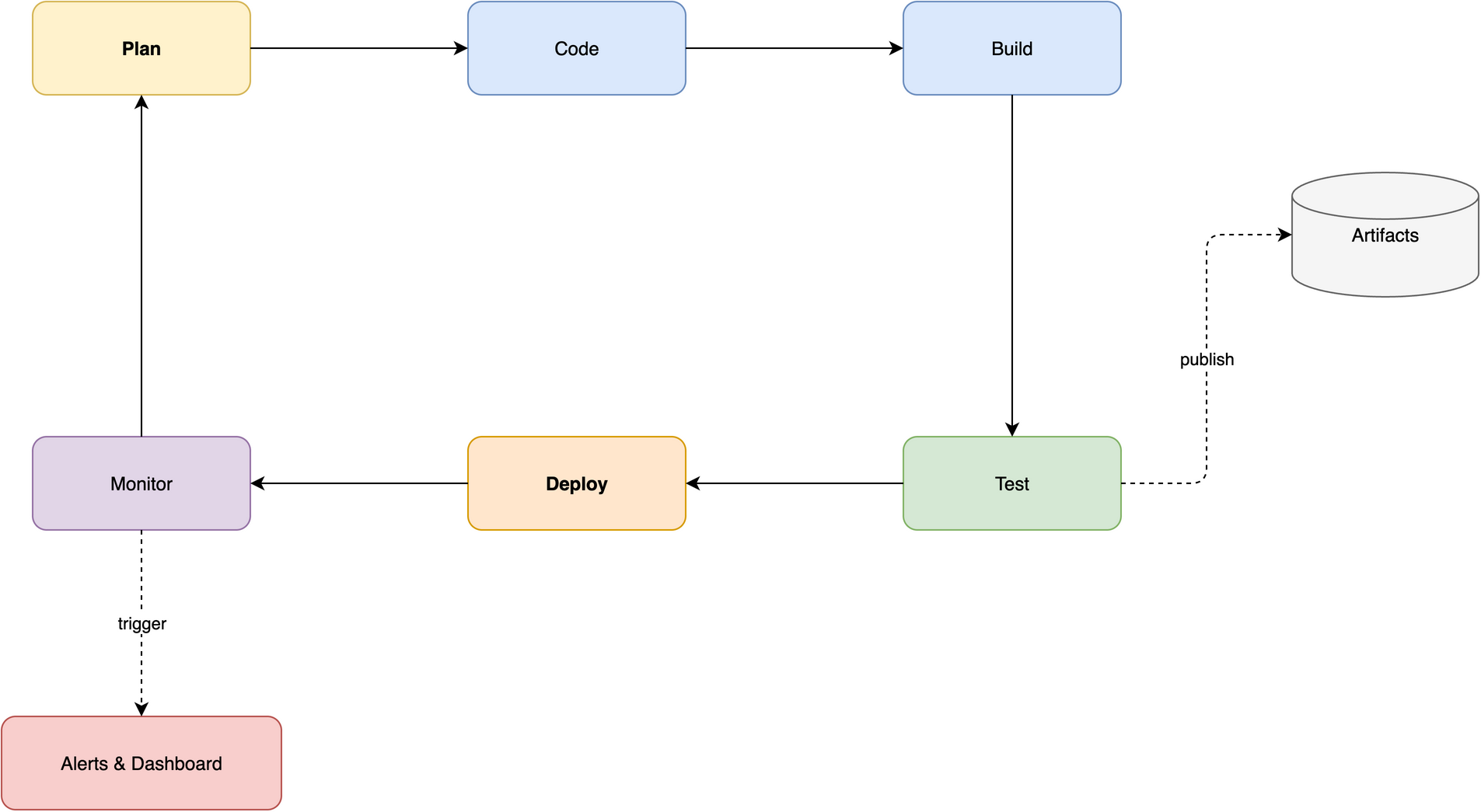
Ring / Cycle
8 nodes — CI/CD pipeline with closed loop and spur branches
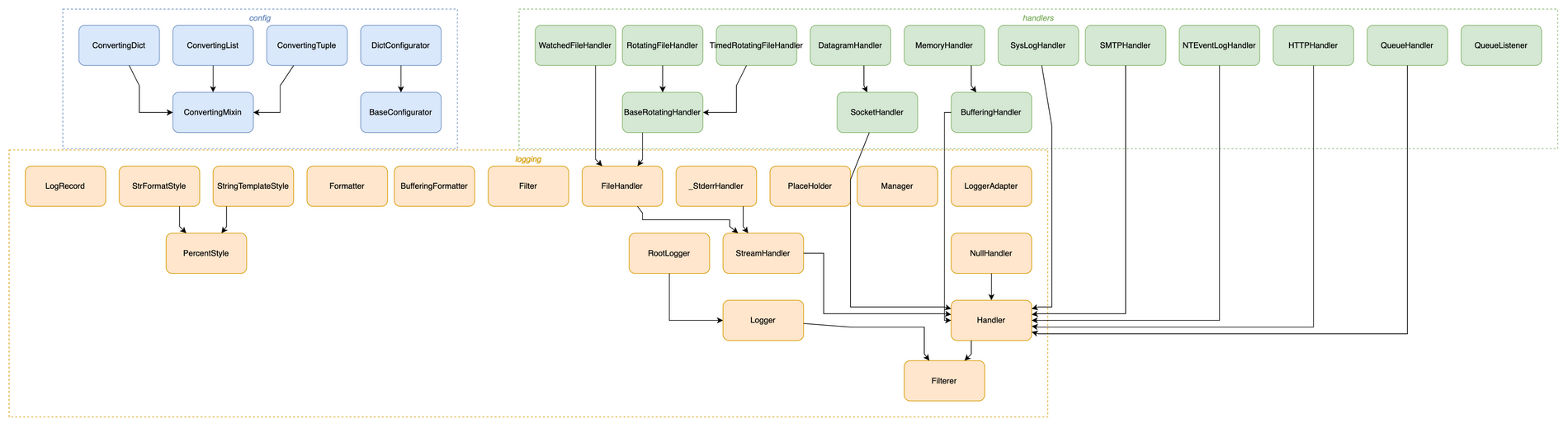
Visualize a Codebase
Python logging class hierarchy — 38 classes
auto-laid-out, coloured by module
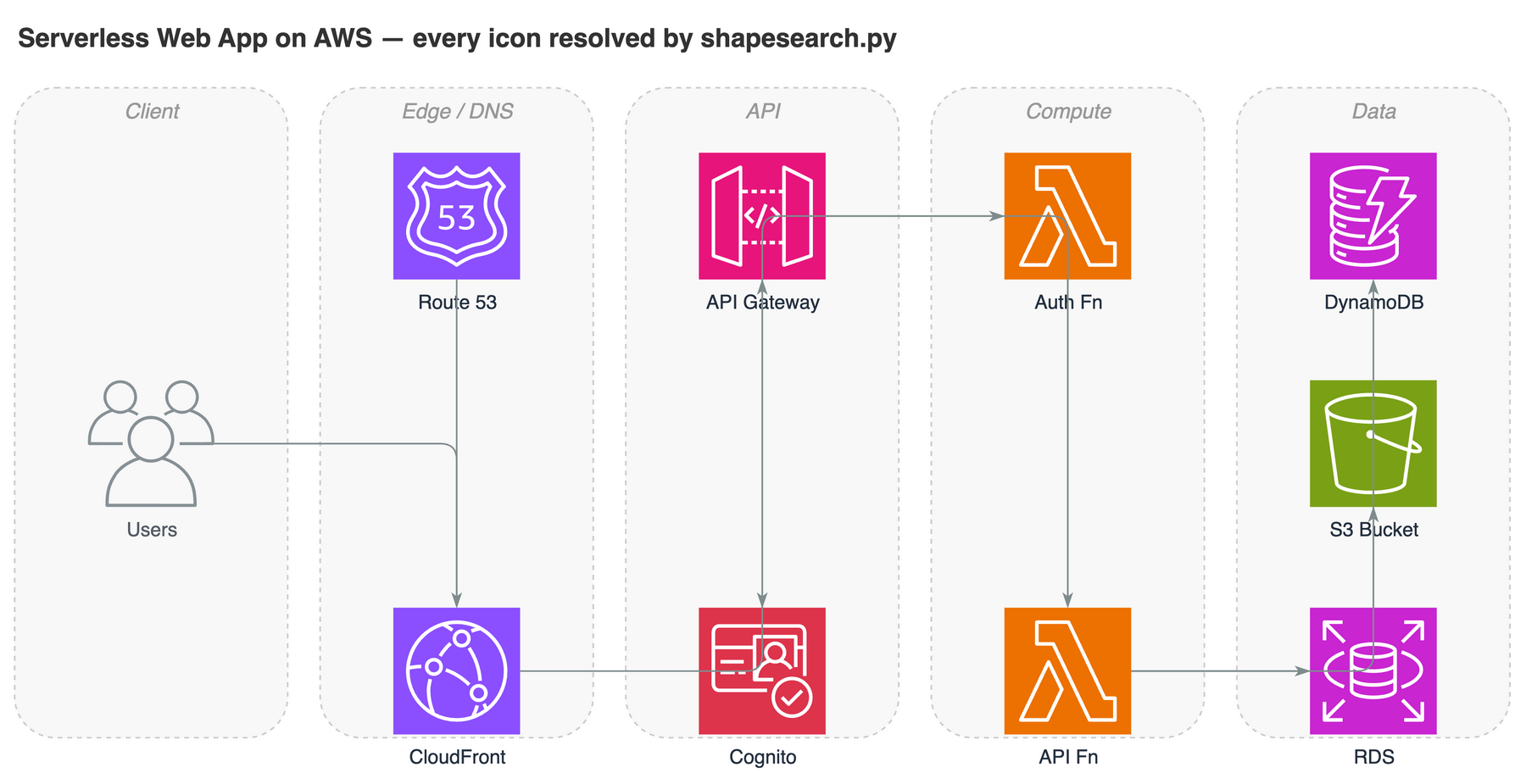
Official Shape Search
Serverless AWS architecture — every icon resolved by
shapesearch.py
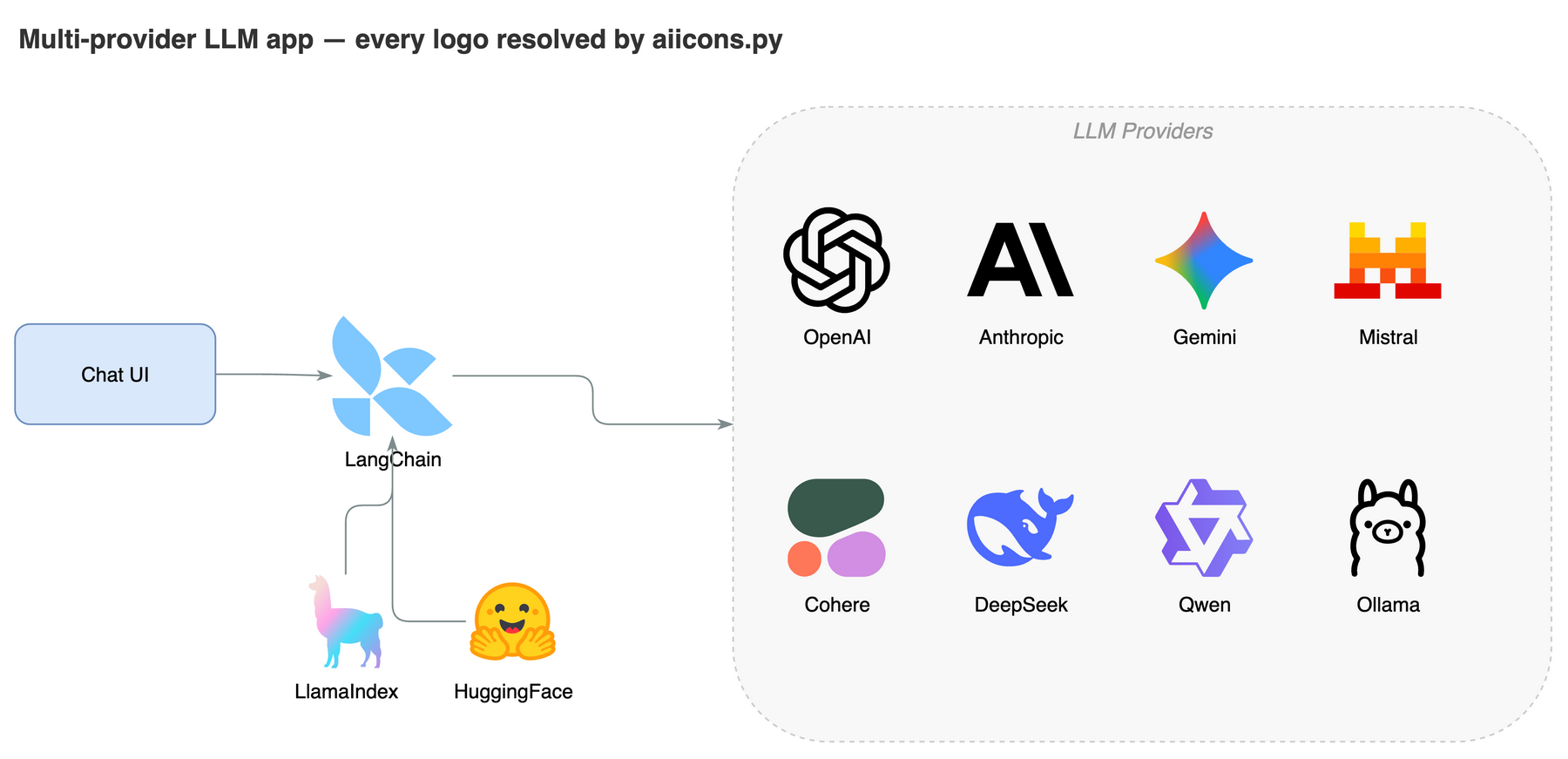
AI / LLM Brand Logos
Multi-provider LLM app — OpenAI, Claude, Gemini…
via aiicons.py
vs Native Agent
What you get with the skill vs prompting an LLM directly.
| Feature | Native Agent | This Skill |
|---|---|---|
| Self-check after export | ✗ | ✓ 2-round auto-fix |
| Iterative review loop | ✗ | ✓ 5-round with targeted edits |
| Diagram type presets | ✗ | ✓ 11 presets (ERD, UML, Seq, C4, Arch, ML, Flow, SysML, BPMN, Network, Swimlane) |
| ML model diagrams | ✗ | ✓ Tensor shapes, layer colors |
| Animated connectors | ✗ | ✓ flowAnimation=1 |
| Grid-aligned layout | ✗ | ✓ 10px snap |
| Complexity-scaled spacing | ✗ | ✓ 200–350px by node count |
| Color palette | Random | ✓ 7-color semantic system |
| Edge routing rules | Basic | ✓ Corridors + waypoints + distribution |
| Container/group nesting | ✗ | ✓ Swimlane + group + custom |
| Visualize a codebase | ✗ | ✓ import graphs (Py/JS/Go/Rust) + class diagrams |
| Auto-layout for large graphs | ✗ | ✓ Graphviz placement, ortho routing, nested containers |
| Structural validation | ✗ | ✓ deterministic .drawio linter |
| Official shape search | ✗ | ✓ 10,000+ AWS/Azure/GCP/UML styles |
| AI/LLM brand logos | ✗ | ✓ 321 logos (OpenAI/Claude/Gemini…) |
| Embed diagram in export | ✗ | ✓ --embed-diagram |
| Browser fallback | ✗ | ✓ diagrams.net URL |
| Auto-launch desktop app | ✗ | ✓ Opens .drawio for fine-tuning |
| Style presets | ✗ | ✓ Learn, save & apply named styles |
Install
Pick your platform. Takes 10 seconds.
# Global install
git clone https://github.com/Agents365-ai/drawio-skill.git ~/.claude/skills/drawio-skill

# Project-level install
git clone https://github.com/Agents365-ai/drawio-skill.git .claude/skills/drawio-skill
# Global install (Opencode-native path)
git clone https://github.com/Agents365-ai/drawio-skill.git ~/.config/opencode/skills/drawio-skill

# Project-level install
git clone https://github.com/Agents365-ai/drawio-skill.git .opencode/skills/drawio-skill

# Also auto-detected from existing Claude Code install
# (~/.claude/skills/ and .claude/skills/ are read automatically)
# Manual install
git clone https://github.com/Agents365-ai/drawio-skill.git ~/.openclaw/skills/drawio-skill
# Via SkillsMP CLI
skills install drawio-skill
# User-level install
git clone https://github.com/Agents365-ai/drawio-skill.git ~/.agents/skills/drawio-skill

# Project-level install
git clone https://github.com/Agents365-ai/drawio-skill.git .agents/skills/drawio-skill
Related Skills
Part of the Agents365-ai diagram-skill family — pick the right tool for the job.
excalidraw-skill
Hand-drawn / sketchy — whiteboard mockups, informal diagrams.
mermaid-skill
Text-based, auto-layout — README-embeddable, version-control friendly.
plantuml-skill
UML-focused — class / sequence diagrams in CI pipelines.
tldraw-skill
Whiteboard collaboration — casual sketches, FigJam-style boards.
Support
If this skill helps you, consider supporting the author.
 WeChat Pay
 Alipay
 Buy Me a Coffee
 Give a Reward